# 前端
整體搜尋功能架構:
- SearchBar - 前端搜尋欄位,捕捉使用者輸入。
- HomePage - 用
useLocation取得網址中的關鍵字,透過useEffect監聽關鍵字的變化,再透過dispatch來發送請求 - productActions - 與後端 API 溝通,發送帶有
keyword參數的請求 - 後端 product_views - 根據傳入的關鍵字查詢資料庫,返回符合條件的商品清單
# Search Bar Component(搜尋欄)
- 判斷若搜尋表單沒有
keyword,就停留在當前頁面window.location.pathname
// SearchBar.js
const navigate = useNavigate();

const [keyword, setKeyword] = useState("");

const submitHandler = (e) => {
 e.preventDefault();
 if (keyword.trim()) {
  navigate(`/?keyword=${keyword}`); // 這邊 ?keyword 不用加任何其他東西,否則 HomePage 的 useLocation 印不出 keyword
 } else {
  navigate(window.location.pathname);
 }
};
return (
 <Form onSubmit={submitHandler} className='d-flex' style=<!--swig0-->>
  <Form.Control type='text' name='q' onChange={(e) => setKeyword(e.target.value)} placeholder='搜尋商品...' className='me-2 form-control-sm' />
  <Button type='submit' variant='outline-success' className='p-2'>
   <i className='fas fa-search'></i>
  </Button>
 </Form>
);
# HomePage.js(首頁)
- 使用
useLocation取得route資訊,這邊是取得search也就是網址中的query string
let keyword = useLocation().search;
console.log(keyword);

useEffect(() => {
 dispatch(listProducts(keyword));
}, [dispatch, keyword]);
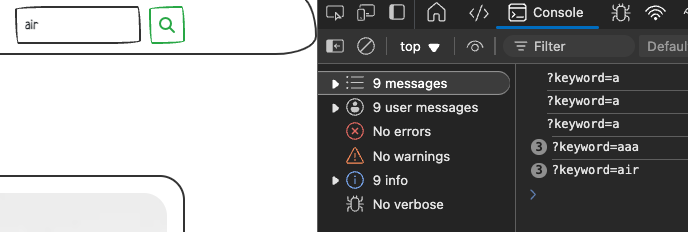
檢查主控台,可以看到 keyword 的值是 ?keyword=
# productActions.js(Redux Action)
傳入關鍵字的寫法很活,沒有一定
假設在 HomePage 中寫 dispatch(listProducts("")); // 明確傳入空字串,那在 listProducts 中就可以寫 keyword 即可,都一樣能運作
export const listProducts =
 (keyword = "") =>
 async (dispatch) => {
  try {
   dispatch({ type: PRODUCT_LIST_REQUEST });
   const { data } = await axios.get(`/api/products/${keyword}`);
   dispatch({
    type: PRODUCT_LIST_SUCCESS,
    payload: data, // reducers的action.payload
   }); // 成功的話
  } catch (error) {
   dispatch({
    type: PRODUCT_LIST_FAIL,
    payload: error.response && error.response.data.message ? error.response.data.message : error.message,
   }); // 檢查若 error.response && error.response.data.message 存在就回傳 error.response.data.message 否則就用預設的error.message
  }
 };
# 後端
# views(取得所有產品)
- 將列出所有產品的程式放在
query為 None 的情況products = Product.objects.all()避免UnboundLocalError: local variable 'products' referenced before assignment錯誤 icontains不區分大小寫
可以先將 query 印出來看看,確認是否有正確接收到前端傳來的關鍵字

@api_view(['GET'])
def getProducts(request):
    query = request.query_params.get('keyword')
    # print("query:", query)
    if query is None:
        query = ''
        products = Product.objects.all()
    else:
        products = Product.objects.filter(name__icontains=query)

    serializer = ProductSerializer(products, many=True)
    return Response(serializer.data)
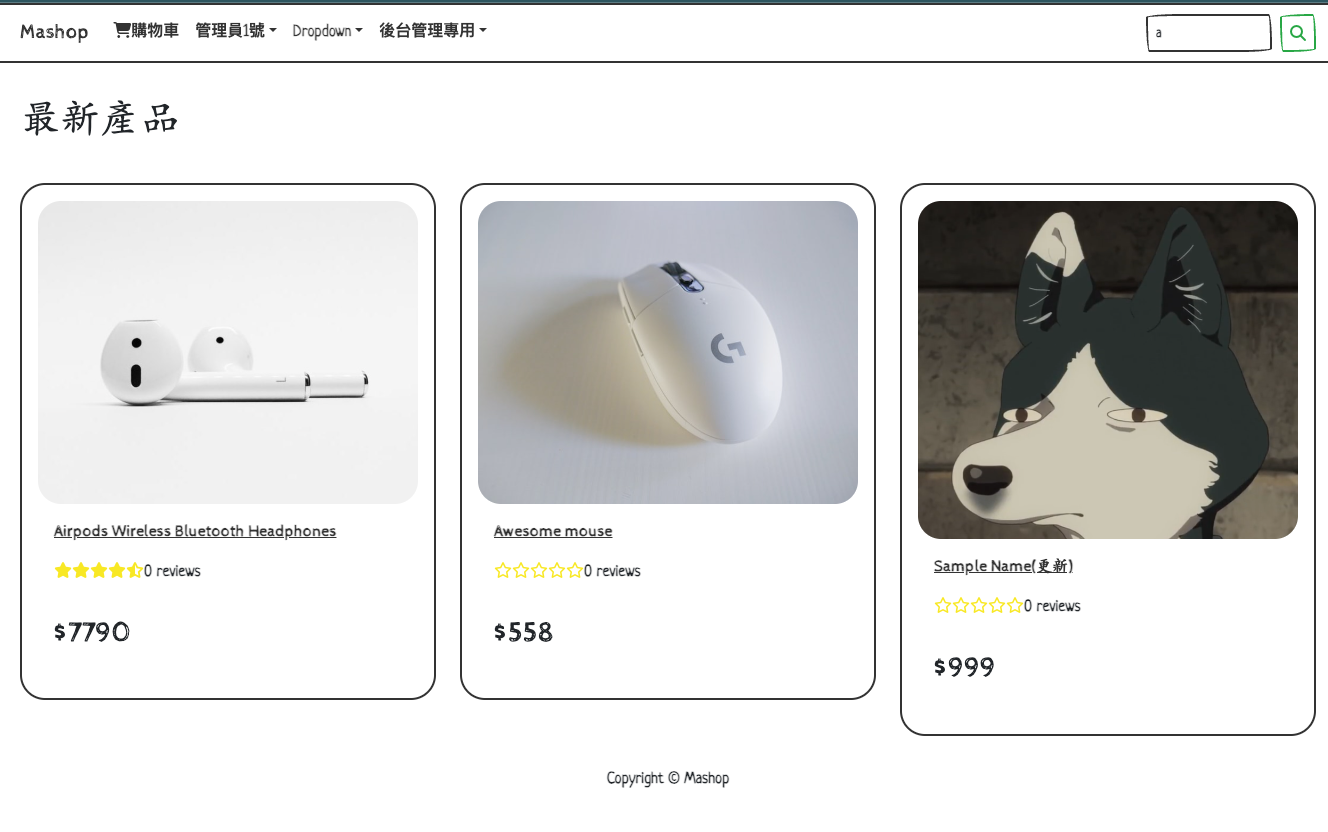
最後成功結果,搜尋 a 只顯示產品名稱中有 a 的商品: