
# 結果展示
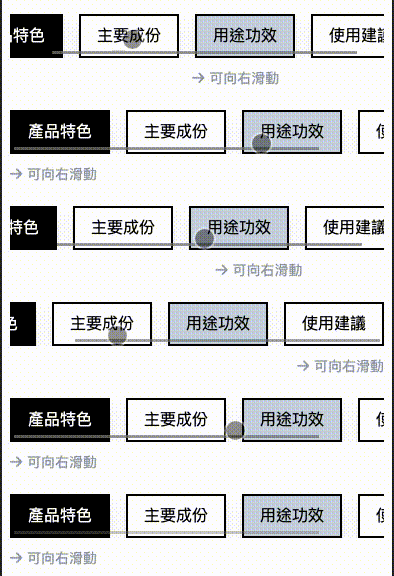
# HTML 程式碼
<!-- 產品其他內容按鈕群組 -->
<div class="tab-navigation flex space-x-2 md:space-x-4 my-6 overflow-x-auto">
	<!-- ... tab buttons ... -->
</div>
<!-- 箭頭提示 -->
<div class="mb-2">
	<i class="fa-solid fa-arrow-right md:hidden relative left-0 text-gray-400 text-sm"> 可向右滑動</i>
</div>
# JS 程式碼
// 讓箭頭同步與 tab-navigation 的 scroll 同步平移
const tabNavigation = document.querySelector(".tab-navigation");
const arrowIcon = document.querySelector(".fa-arrow-right");
tabNavigation.addEventListener("scroll", function () {
	const maxScrollLeft = tabNavigation.scrollWidth - tabNavigation.clientWidth; // 最大可滾動距離
	const scrollPercentage = tabNavigation.scrollLeft / maxScrollLeft; // 目前已滾動的百分比

	const arrowMaxLeft = tabNavigation.clientWidth - arrowIcon.clientWidth; // 箭頭最大可移動距離
	const arrowLeft = arrowMaxLeft * scrollPercentage; // 箭頭目前的位置
	arrowIcon.style.left = `${arrowLeft}px`;
});
# 數學公式
在這個情況下, (最小left值),,(最大left值),。因此
簡化為以下:
在線性插值(Linear Interpolation)的一般公式中,t 是一個插值參數,通常是一個介於 0 和 1 之間的數字。這個參數用來表示兩個端點 A 和 B 之間的相對位置。
- 當 時,插值結果為 A (起始點)
- 當 時,插值結果為 B (終點)
- 當 時,插值結果會是 A 和 B 之間的某個值